 NEWS
NEWS
Selfie Drone Hover Camera Passport Exclusive to Apple Stores
 04/13/2017
 2979
2979
The Hover Camera Passport, a drone designed for taking selfies, is now exclusively available from Apple stores, including retail outlets and the online store, with the flying imaging device also receiving a number of updates to make it easier to fly.
As part of the Apple store exclusivity, the Hover Camera Passport is being offered in a $500 bundle in five countries, containing the drone itself, two batteries, a power adapter, charger, and a bag for storage. Zero Zero Robotics, the drone's producers, also advise that customers can request in-store demonstrations in a number of locations to try out the Passport's flying capabilities, as well as features such as facial recognition.
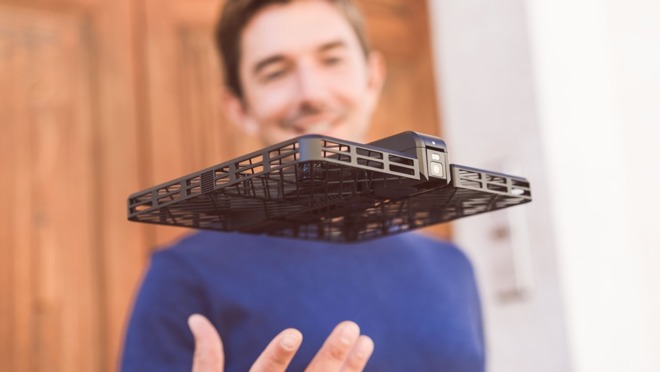
The bundle will be on sale in five countries and regions, with customers in the United States, Canada, Mainland China, Hong Kong, and the United Kingdom able to acquire the device in store and online. Considering previous in-store marketing efforts for DJI, it is likely that the Passport will be provided a large amount of shelf space in stores where it is available to purchase.
Launched last year, the Hover Camera Passport is a lightweight drone that lends itself to being flown nearby to the operator, filming the user using its 13-megapixel camera in 4K. Weighing 8.5 ounces, the drone is relatively simple to set up, with the propellers protected by cages and able to be folded out from the body quickly, connecting to the companion app on an iOS over Wi-Fi.
In the latest update to the drone's interface, the existing auto-camera modes for following the subject and capturing a 360-degree circular view have been bolstered by modes for running, cycling, group photographs, bird's eye views, and other scenarios. The interface has been refreshed to make it easier to access the drone's functions, with the added option of triggering features with gesture controls.
There is an automated editing function in the update that creates video sequences using multiple clips, which can then be shared with friends via the social hub. The manufacturer has also changed the format of video produced by the drone to increase compatibility with Apple's video editing tools, including iMovie and Final Cut Pro X.
Source: appleinsider










