NEWS

Apple Issues Fourth Beta of macOS Sierra 10.12.6

06/20/2017

3113

On Monday afternoon, Apple released an update to just one of its eight currently running OS betas, and unveiled the fourth beta of macOS Sierra 10.12.6
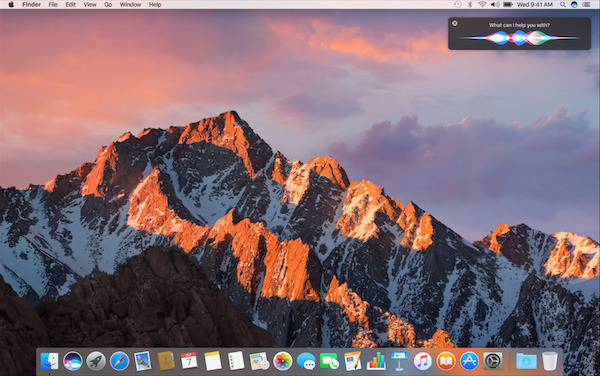

Apple Issues Fourth Beta of macOS Sierra 10.12.6


The Mac update can be downloaded through Apple's developer portal, or through the software update feature on properly registered devices. 


The current build is 16G18a. The previous build from June 13 was 16G16b. There are no particular avenues of testing listed by Apple in the release notes for the update.


Also running are the first betas for iOS 11, macOS 10.13 High Sierra, watchOS 4 and tvOS 11, rolled out shortly after introduction during WWDC. Apple's iOS 11 appears to carry the most changes, with upgrades to Siri, Apple Pay, Photos and a general user interface revamp.


The macOS High Sierra update contains a number of refinements and other improvements like Apple File System integration, migration from H.264 to H.265, and Metal 2.


Source: appleinsider


Windows
Mac OS
iOS
Linux
3uTools
Win 64-bit For this device
V6.0.1 2024-12-18
Download
Win 32-bit For this device
V6.0.1 2024-12-18
Download
3uTools
Intel Chip How to Identify Chip Type
V6.0.1 2024-12-18
Download
Apple Silicon
V6.0.1 2024-12-18
Download
How to Identify Chip Type
1.  Click the Apple icon in the top-left corner of the screen and select About This Mac.
2.  Check the Processor or Chip field to determine if it is "Intel" or "Apple".
Please use the 3uTools PC client to install the iOS client:
1、 Install either the Windows or Mac version of 3uTools on your computer
2、 Open the PC client and connect your device to the computer via USB cable
3、 After the connection is successful, wait for the computer to automatically install the mobile app for the device, or locate “Install Mobile App” on the computer and manually click to install.
3uTools
deb file
V6.0.1 2024-12-18
Download
rpm file
V6.0.1 2024-12-18
Download
Windows
Windows
iOS
iOS
Android
Android
TV
TV
3uAirPlayer
Win 64-bit For this device
V6.0.1 2024-12-18
Download
Win 32-bit For this device
V6.0.1 2024-12-18
Download
iOS Device Mirroring (No App Required)
1、 Install 3uAirPlayer on the Windows PC
2、 Open Control Center and select Screen Mirroring
3、 From the list, choose your PC to start mirroring
4、 Or connect your iOS device to the PC via USB to begin mirroring
Scan to get "3uAirPlayer" App
3uAirPlayer TV V6.0.1
2024-12-18
TV System Requirements: Android 7.0 or later
Download the TV installation package, copy it to a USB drive, insert it into your TV or set-top box, then select the file from the home screen to install.




