NEWS

iOS 11 Beta 7 is Out: Here's What's New

08/23/2017

3060

iOS 11 beta 7 is now out, introducing a tiny slew of new features to the mix that are quite likely ending up in the official iOS 11 version sometime next month.

iOS 11 Beta 7 is Out: Here's What's New


So, what's new in this update. Suffice to say that it's a rather incremental one with few novelties:


Volume slider now has a yellow "too loud" section in Control Center (EU only);

Smaller clock on the lock screen;

New Apple Music icon in the Now Playing section of Control Center;

30-pin-to-Lightning adapter now working as intended;

Cellular data stats will reset each month;

iPad multitasking will show previews of the resized window panes;

Touch ID will be disabled while entering Emergency mode;

New podcasts will no longer get automatically downloaded if you haven't listen to the old ones in a while;

Numerous bug fixes and other minor interface improvements.


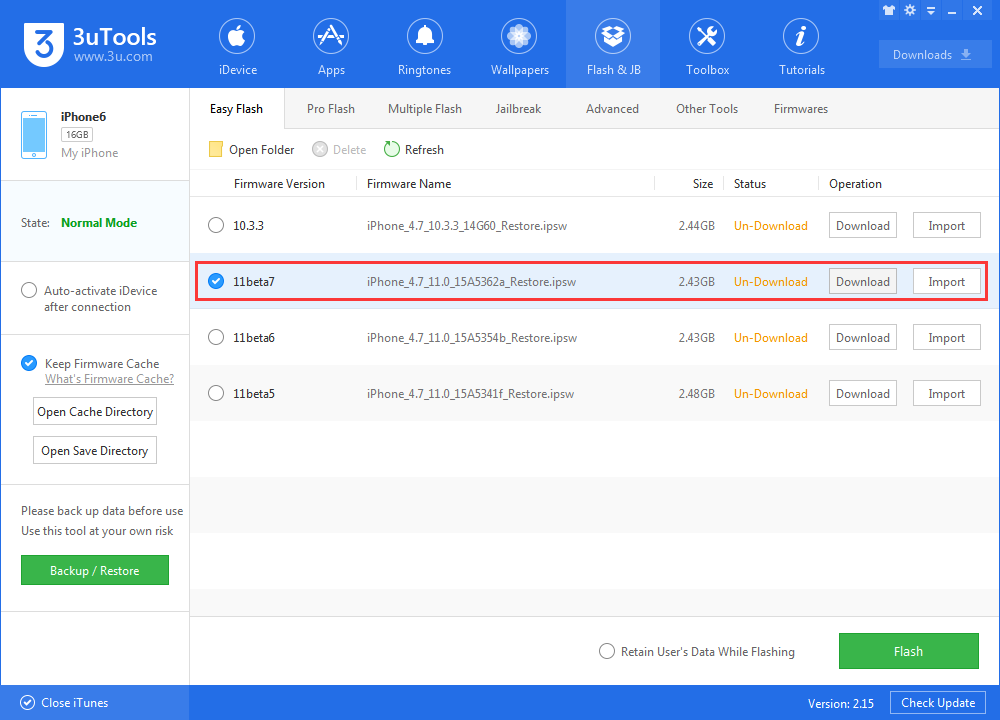
You can check out if the latest beta is available for your device by heading to 3uTools.

iOS 11 Beta 7 is Out: Here's What's New


Source: phonearena

Windows
Mac OS
iOS
Linux
3uTools
Win 64-bit For this device
V6.0.1 2024-12-18
Download
Win 32-bit For this device
V6.0.1 2024-12-18
Download
3uTools
Intel Chip How to Identify Chip Type
V6.0.1 2024-12-18
Download
Apple Silicon
V6.0.1 2024-12-18
Download
How to Identify Chip Type
1.  Click the Apple icon in the top-left corner of the screen and select About This Mac.
2.  Check the Processor or Chip field to determine if it is "Intel" or "Apple".
Please use the 3uTools PC client to install the iOS client:
1、 Install either the Windows or Mac version of 3uTools on your computer
2、 Open the PC client and connect your device to the computer via USB cable
3、 After the connection is successful, wait for the computer to automatically install the mobile app for the device, or locate “Install Mobile App” on the computer and manually click to install.
3uTools
deb file
V6.0.1 2024-12-18
Download
rpm file
V6.0.1 2024-12-18
Download
Windows
Windows
iOS
iOS
Android
Android
TV
TV
3uAirPlayer
Win 64-bit For this device
V6.0.1 2024-12-18
Download
Win 32-bit For this device
V6.0.1 2024-12-18
Download
iOS Device Mirroring (No App Required)
1、 Install 3uAirPlayer on the Windows PC
2、 Open Control Center and select Screen Mirroring
3、 From the list, choose your PC to start mirroring
4、 Or connect your iOS device to the PC via USB to begin mirroring
Scan to get "3uAirPlayer" App
3uAirPlayer TV V6.0.1
2024-12-18
TV System Requirements: Android 7.0 or later
Download the TV installation package, copy it to a USB drive, insert it into your TV or set-top box, then select the file from the home screen to install.





