NEWS

New Jailbreak for iOS 10.3.x XigTeam on Development

09/07/2017

5751

New Jailbreak for iOS 10.3.x by XigTeam on development. @XigTeam is a new developers team from China claiming they are working on a persistent jailbreak for iPhone7 and iPhone 7 plus with iOS 10.3.X bypassing AppleMemoryController (AMCC).


Jailbreak for iOS 10.3.x XigTeam announced for iphone7 and iphone 7 plus only.
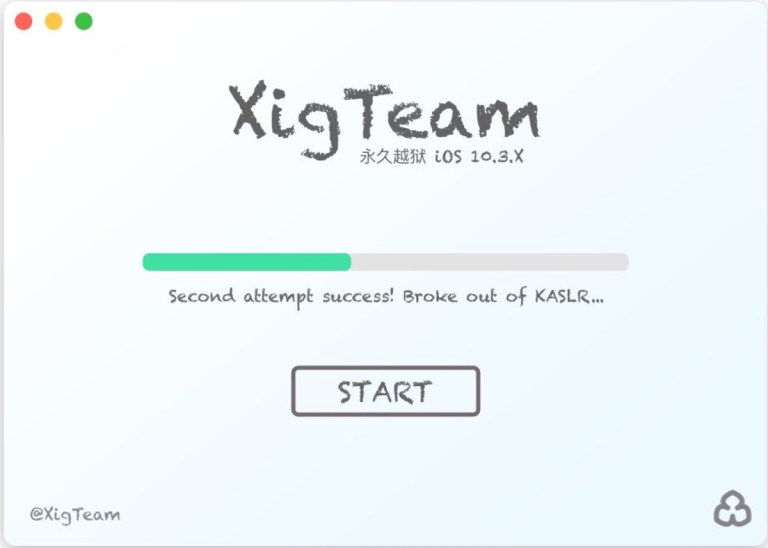

New Jailbreak for iOS 10.3.x XigTeam on Development


New Jailbreak for iOS 10.3.x XigTeam on development


For now, it is not entirely sure if this jailbreak it’s fake or legit, they’ve announced the ios 10.3.3 jailbreak on their twitter the fact that the Jailbreak will only be available for iPhone 7 and 7 Plus. why?  because the AMCC (SiDP) Bypass is only  for these two devices. All other 64-Bit iPhones use KPP, which does the same as kpp protection job to protects the kernel, but SiDP use a completely different way, so an AMCC / SiDP bypass wouldn’t work on any other devices, besides iPhone 7 and iphone 7 plus, that’s why if this jailbreak comes to light will be only available for iPhone 7 and 7 Plus.


Source:


Windows
Mac OS
iOS
Linux
3uTools
Win 64-bit For this device
V6.0.1 2024-12-18
Download
Win 32-bit For this device
V6.0.1 2024-12-18
Download
3uTools
Intel Chip How to Identify Chip Type
V6.0.1 2024-12-18
Download
Apple Silicon
V6.0.1 2024-12-18
Download
How to Identify Chip Type
1.  Click the Apple icon in the top-left corner of the screen and select About This Mac.
2.  Check the Processor or Chip field to determine if it is "Intel" or "Apple".
Please use the 3uTools PC client to install the iOS client:
1、 Install either the Windows or Mac version of 3uTools on your computer
2、 Open the PC client and connect your device to the computer via USB cable
3、 After the connection is successful, wait for the computer to automatically install the mobile app for the device, or locate “Install Mobile App” on the computer and manually click to install.
3uTools
deb file
V6.0.1 2024-12-18
Download
rpm file
V6.0.1 2024-12-18
Download
Windows
Windows
iOS
iOS
Android
Android
TV
TV
3uAirPlayer
Win 64-bit For this device
V6.0.1 2024-12-18
Download
Win 32-bit For this device
V6.0.1 2024-12-18
Download
iOS Device Mirroring (No App Required)
1、 Install 3uAirPlayer on the Windows PC
2、 Open Control Center and select Screen Mirroring
3、 From the list, choose your PC to start mirroring
4、 Or connect your iOS device to the PC via USB to begin mirroring
Scan to get "3uAirPlayer" App
3uAirPlayer TV V6.0.1
2024-12-18
TV System Requirements: Android 7.0 or later
Download the TV installation package, copy it to a USB drive, insert it into your TV or set-top box, then select the file from the home screen to install.





