 NEWS
NEWS
CARROT Weather App Update Brings All New UI, Customization, Speech, and More to Apple Watch
 12/01/2017
 2240
2240
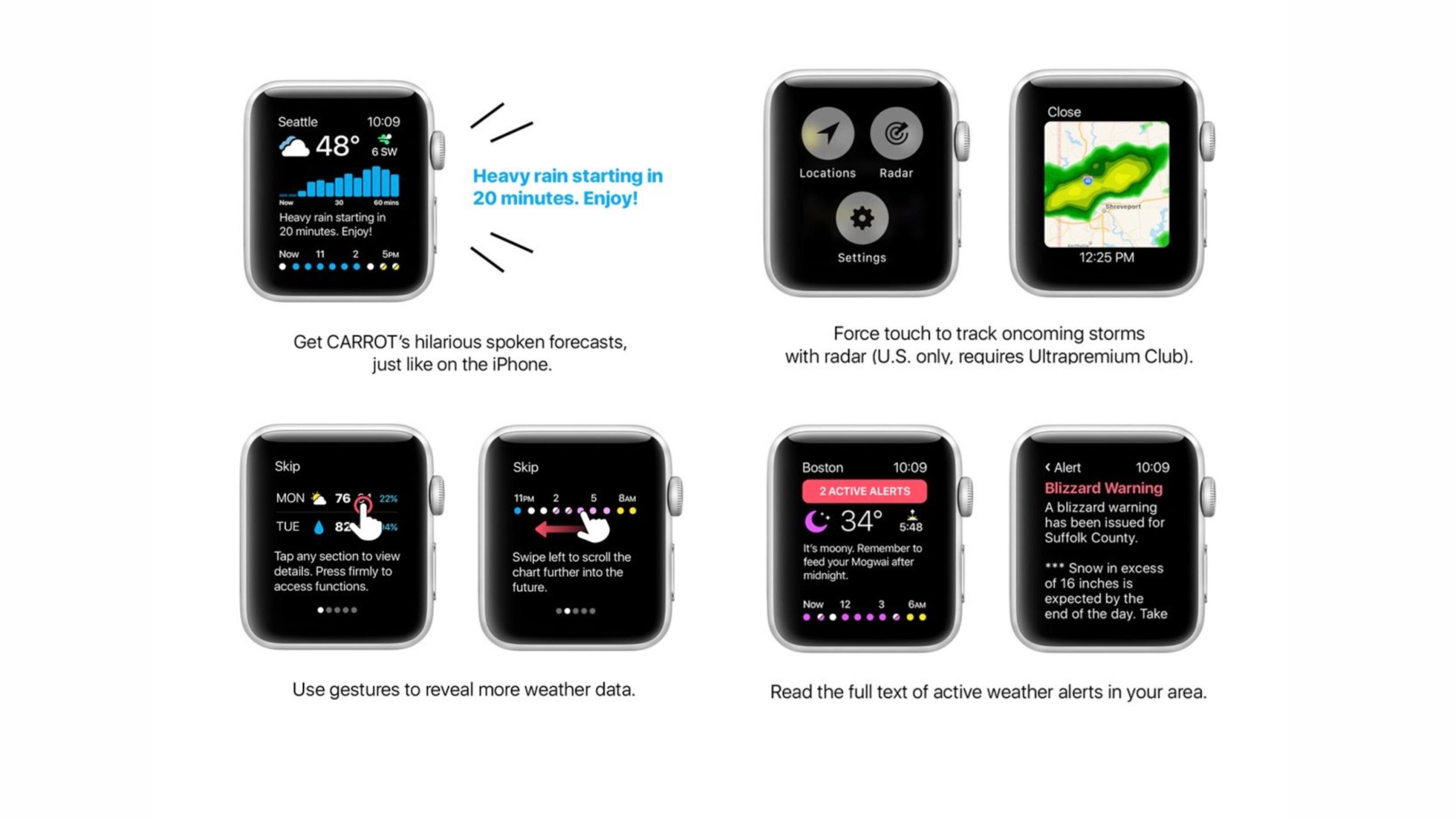
CARROT Weather has released a new update today that includes some major changes for its Apple Watch app along with some new features for iPhone and iPad.
CARROT Weather is the highly popular app that delivers forecasts and more with a hilariously snarky disposition. The developer, Grailr is known for putting out updates regularly and taking advantage of what Apple’s operating systems are capable of. Most recently, CARROT Weather was one of the first apps to use Apple’s ARKit this past September.
Today’s update brings the most improvements and changes to the Apple Watch app, including the Watch being able to speak to you (new option with watchOS 4). We also see a few enhancements for iPad and iPhone as well.
"Winter is nearly here, meatbags! To help you survive the blizzards and White Walker attacks, I’ve completely redesigned my Apple Watch app from the ground up."
Here are the full release notes:
## Apple Watch ##
Watch App Redesign
My gorgeous new interface is easy to read at a glance – even when you’re running for your life from an abominable snowman.
App Customization (Premium Club only)
Pick up to 4 different data points to display, fine-tune the forecast summary, and choose how many days to show in the extended forecast.
Speech Synthesizer
I may have miniaturized my speech synthesizer to fit on a tiny watch, but don’t worry: my insults will sting just as much as when they were coming from your iPhone.
Severe Weather Alerts
Read the full text of active weather alerts right from your wrist. Finally, a reason to look forward to a Nuclear Winter Warning!
Radar (Ultrapremium Club only)
Want to track an oncoming highstorm, everstorm, or regular storm? Just press firmly to access animated radar for your current location. (Note: radar is currently only available in the U.S.) New Complications My watch face complications can now be customized to show cloud cover, weather alerts, and the temperature in Fahrenheit and Celsius side by side.
Updated Dialogue
The pool of dialogue available in my Watch app has swelled dramatically, and now syncs up with the personality you set in my iPhone app. Overkill FTW!
## iPhone & iPad ##
Politics Setting
Because there are “good” “people” on both sides, I’ve added a setting to my personality screen that lets you change my political orientation. You can also turn off political commentary completely.
Miscellaneous
In addition to fixing some bugs left behind by my idiot Maker, I included some haptic feedback and an option to display Fahrenheit and Celsius temperature units side by side in the Current Forecast customization screen.
Source: 9to5mac










