NEWS

Apple Now Offers up to $2,500 When You Trade in a Qualifying Mac

12/13/2017

2365

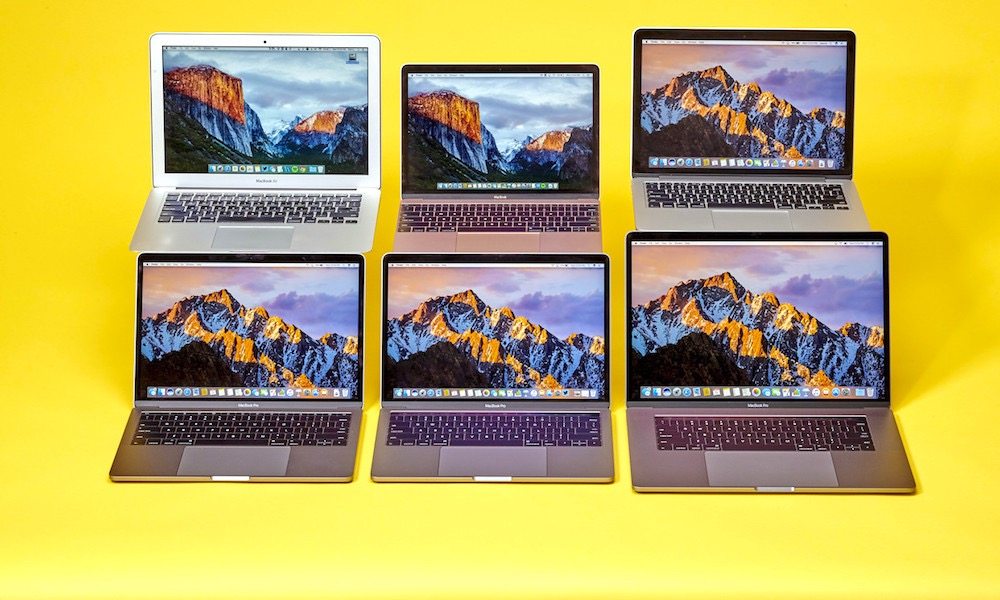
Apple today increased its trade-in values for select Mac models released in 2009 and later. In partnership with buyback company Phobio, Apple now offers customers up to $2,500, compared to up to $1,500 previously. 

Apple Now Offers up to $2,500 When You Trade in a Qualifying Mac

The new trade-in values in the United States are as follows: 

• MacBook: up to $1,110 
• MacBook Air: up to $430 
• MacBook Pro: up to $2,500 
• iMac: up to $2,500 
• Mac Pro: up to $1,560 

To determine how much credit you can receive, 
visit the Phobio website, enter your Mac's serial number, and answer a few questions about its current condition. Phobio will then provide an estimate based on the information provided. 

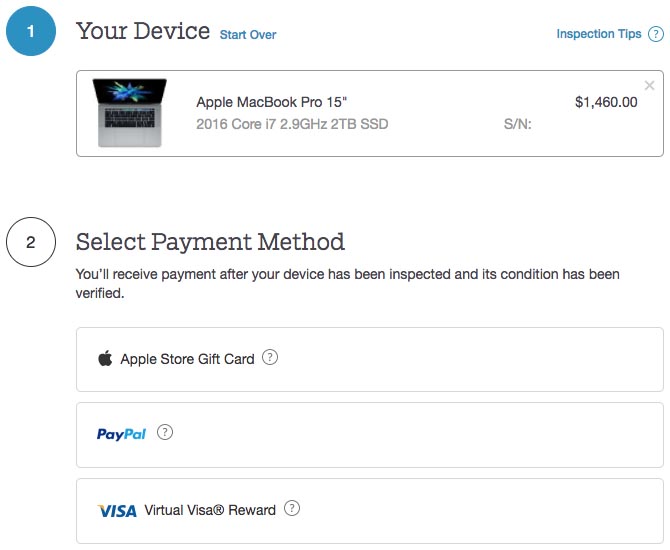
If you accept the quote, you'll receive payment after your Mac has been inspected and its condition has been verified. The payment can be in the form of an emailed Apple Store gift card, PayPal deposit, or a virtual prepaid Visa card. 

A maxed-out 2017 15-inch MacBook Pro with Touch Bar in good condition, for example, has a trade-in value of $2,510. A maxed-out 2016 15-inch MacBook Pro with Touch Bar in good condition is eligible for $1,460 credit. 

Apple Now Offers up to $2,500 When You Trade in a Qualifying Mac

Apple's trade-up program is convenient, but customers can get better resale value by selling their Mac on eBay or listing it in classifieds such as Craigslist or the MacRumors Marketplace, so long as you adhere to our rules and requirements

Apple also offers up to $500 for select PCs. Meanwhile, Macs released earlier than 2009 are eligible for Apple's free 
Renew and Recycling program only.


Source: macrumors

Windows
Mac OS
iOS
Linux
3uTools
Win 64-bit For this device
V6.0.1 2024-12-18
Download
Win 32-bit For this device
V6.0.1 2024-12-18
Download
3uTools
Intel Chip How to Identify Chip Type
V6.0.1 2024-12-18
Download
Apple Silicon
V6.0.1 2024-12-18
Download
How to Identify Chip Type
1.  Click the Apple icon in the top-left corner of the screen and select About This Mac.
2.  Check the Processor or Chip field to determine if it is "Intel" or "Apple".
Please use the 3uTools PC client to install the iOS client:
1、 Install either the Windows or Mac version of 3uTools on your computer
2、 Open the PC client and connect your device to the computer via USB cable
3、 After the connection is successful, wait for the computer to automatically install the mobile app for the device, or locate “Install Mobile App” on the computer and manually click to install.
3uTools
deb file
V6.0.1 2024-12-18
Download
rpm file
V6.0.1 2024-12-18
Download
Windows
Windows
iOS
iOS
Android
Android
TV
TV
3uAirPlayer
Win 64-bit For this device
V6.0.1 2024-12-18
Download
Win 32-bit For this device
V6.0.1 2024-12-18
Download
iOS Device Mirroring (No App Required)
1、 Install 3uAirPlayer on the Windows PC
2、 Open Control Center and select Screen Mirroring
3、 From the list, choose your PC to start mirroring
4、 Or connect your iOS device to the PC via USB to begin mirroring
Scan to get "3uAirPlayer" App
3uAirPlayer TV V6.0.1
2024-12-18
TV System Requirements: Android 7.0 or later
Download the TV installation package, copy it to a USB drive, insert it into your TV or set-top box, then select the file from the home screen to install.




