 NEWS
NEWS
Tesla Launches Portable Qi charger Compatible With Your iPhone
 08/30/2018
 2132
2132
Surprisingly, the product is not for your Tesla vehicle, but for your smartphone.
It’s the latest ‘lifestyle product’ launched by the automaker who has also previously launched batteries for phones using “the same cell found in many of the batteries of Tesla vehicles.”
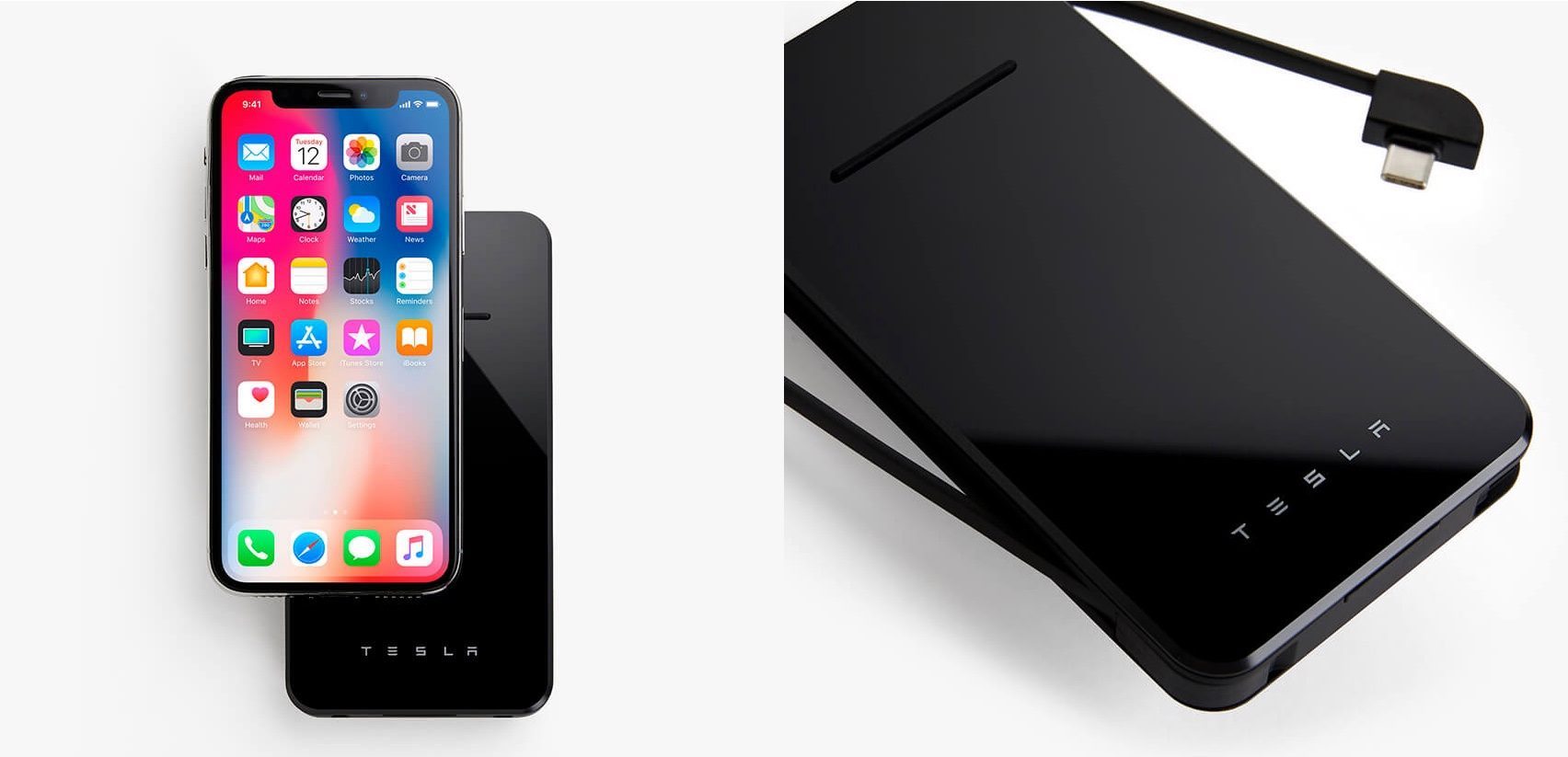
Now they are launching a $65 Qi-certified wireless charger with “the same design language” used in Tesla energy products, like Powerwall, on their shop website:
“The Tesla Wireless Charger is a 6000mAh (22.2Wh) battery-powered inductive charging pad that features the same design language used in our energy products, like Powerwall. In addition to wirelessly charging your device, you can also power up your phone with the integrated USB-C cable. For non-USB-C devices, use the USB-A port to plug in any USB-A charging cable. The built-in USB-A cable can be used to charge your Wireless Charger from any USB port.’
Here are the specs and features of the Tesla Wireless Charger
Charge wirelessly
21 hours additional talk time
18 hours additional surfing
Battery capacity: Lithium-ion polymer 6000mAh
Watt hours: 22.2Wh
Input charging: 5V/2A
Removable USB cable (USB-C to USB-A) and 1 USB-A Port
Output charging:
-Wireless charging: 5W
-Wired charging: 5V/1.5A
It looks like the Tesla brand is coming at a very high premium. For example, the highest rated wireless charger on Amazon is only $40 and it comes with much more battery capacity.
For wireless chargers without battery packs, you can get one for less than $20 and there’s one built to fit in the Tesla Model S and Model X center console.
Source: 9to5mac










