 NEWS
NEWS
Apple News Published Exclusive Excerpt From Former First Lady Michelle Obama's Memoir
 11/13/2018
 1973
1973
Apple on Monday published its second Apple News Exclusive in an excerpt from former first lady Michelle Obama's upcoming memoir "Becoming," one of the year's most anticipated political commentaries.
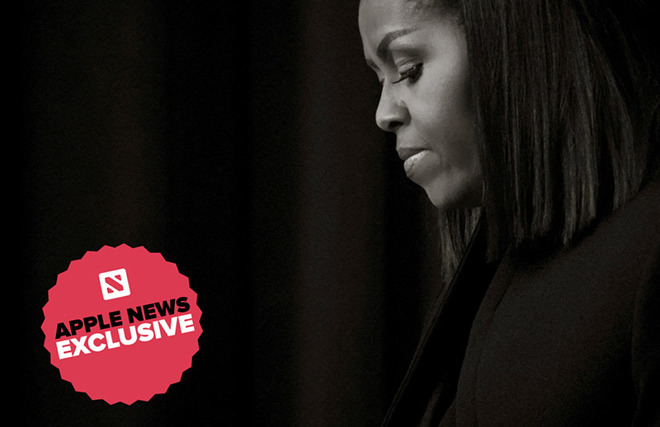
The selected passage recounts Obama's "darkest day" in the White House, when on Dec. 14, 2012, she and then-President Barack Obama learned of the Sandy Hook Elementary School shooting that left 20 school children and six educators dead.
Obama walks readers not only through the events of thatday, but offers a behind-the-scenes look at how she and the president grappled with their emotions in a time of tragedy.
My husband needed me. This would be the only time in eight years that he'd request my presence in the middle of a workday, the two of us rearranging our schedules to be alone together for a moment of dim comfort. Usually, work was work and home was home, but for us, as for many people, the tragedy in Newtown shattered every window and blew down every fence. When I walked into the Oval Office, Barack and I embraced silently. There was nothing to say. No words.
While Apple secured exclusive rights to publish the excerpt in full, other mainstream media outlets were allowed to publish their own coverage of Obama's memoir as part of a promotional blitz that included a sit-down with ABC News reporter Robin Roberts. Many of the write-ups revolved around the Sandy Hook passage, paraphrasing and quoting the same content Apple News was able to secure verbatim.
Apple's treatment of "Becoming" mirrors a traditional news story, complete with a sub-headline, images from the Associated Press and quotes pulled from the excerpt. That is tosay Apple put considerable time and effort to polish the presentation.
Leveraging News' digital platform, Apple also includes a nine-minute audio clip of Obama reading the passage, ostensibly taken from an unreleased "Becoming" audiobook.
The short excerpt, presented as an Apple News Spotlight, is the second exclusive for Apple News. In April, Apple's news platform published an excerpt from the memoir of late U.S. Sen. John McCain. To date, Apple News Exclusives have been limited to book snippets, though that could change in the coming months as Apple firms up relationships with major news outlets and expands its editorial team.
Like the McCain exclusive, today's excerpt ends with an option to preorder "Becoming" through Apple Books.
Apple is quickly building out Apple News as apremiere content aggregation service focused on delivering high quality content curated by humans, not algorithms. The push into news and features comes as previous market leader Facebook comes under fire for propagating "fake news" and enforcing lax data privacy policies.
Looking ahead, exclusives like the "Becoming" excerpt could become a common sight in the News app as Apple looks to launch a widely rumoured subscription service for news and magazines — and potentially video and music content — next year.
Source: appleinsider










