NEWS

Apple Eliminates Headphone Jack From Latest-Generation iPad Lineup

10/20/2022

516

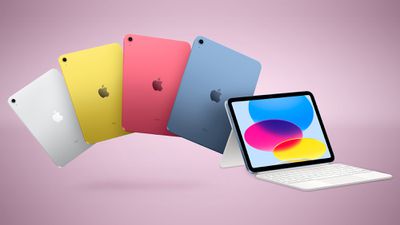
As rumored, the new tenth-generation iPad comes without a headphone jack. Following its debut, Apple has now removed the 3.5mm connector from all of the latest-generation ‌iPad‌ models in its lineup.

Apple Eliminates Headphone Jack From Latest-Generation iPad Lineup


The ninth-generation entry level ‌iPad‌, which Apple continues to sell, is now the only remaining tablet in Apple's ‌iPad‌ range that has the 3.5mm connector.


For users of the newer ‌iPad‌ who want to use wired headphones, or in scenarios where wired headsets remain widely used, such as in classrooms, Apple sells a $9 USB-C-to-3.5mm adapter.


Apple gradually removed the 3.5mm connector from its iPhones, and then from the iPad Pro, iPad Air, and iPad mini, in that order. When Apple stops selling the previous-generation ‌iPad‌, it will be the death knell for the headphones connector on the company's tablets, and among Apple's hardware it will be only Macs that include the jack.


Source: Macrumors

Windows
Mac OS
iOS
Linux
3uTools
Win 64-bit For this device
V6.0.1 2024-12-18
Download
Win 32-bit For this device
V6.0.1 2024-12-18
Download
3uTools
Intel Chip How to Identify Chip Type
V6.0.1 2024-12-18
Download
Apple Silicon
V6.0.1 2024-12-18
Download
How to Identify Chip Type
1.  Click the Apple icon in the top-left corner of the screen and select About This Mac.
2.  Check the Processor or Chip field to determine if it is "Intel" or "Apple".
Please use the 3uTools PC client to install the iOS client:
1、 Install either the Windows or Mac version of 3uTools on your computer
2、 Open the PC client and connect your device to the computer via USB cable
3、 After the connection is successful, wait for the computer to automatically install the mobile app for the device, or locate “Install Mobile App” on the computer and manually click to install.
3uTools
deb file
V6.0.1 2024-12-18
Download
rpm file
V6.0.1 2024-12-18
Download
Windows
Windows
iOS
iOS
Android
Android
TV
TV
3uAirPlayer
Win 64-bit For this device
V6.0.1 2024-12-18
Download
Win 32-bit For this device
V6.0.1 2024-12-18
Download
iOS Device Mirroring (No App Required)
1、 Install 3uAirPlayer on the Windows PC
2、 Open Control Center and select Screen Mirroring
3、 From the list, choose your PC to start mirroring
4、 Or connect your iOS device to the PC via USB to begin mirroring
Scan to get "3uAirPlayer" App
3uAirPlayer TV V6.0.1
2024-12-18
TV System Requirements: Android 7.0 or later
Download the TV installation package, copy it to a USB drive, insert it into your TV or set-top box, then select the file from the home screen to install.