NEWS

Apple Releases Third WatchOS 3.1.1 Developer Beta for Apple Watch

11/16/2016

2730

Apple Releases Third WatchOS 3.1.1 Developer Beta for Apple Watch


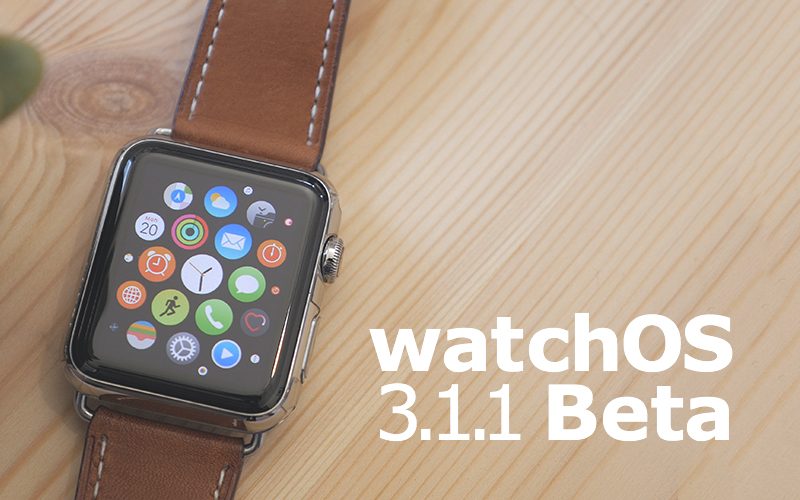
Apple has released the third watchOS 3.1.1 beta for developers testing the pre-release software update for Apple Watch. watchOS 3.1.1 includes support for new Unicode 9.0 emoji as well as the ability to change skin tones when picking certain emoji characters.


watchOS 3.1.1 is a minor release that follows the major release of watchOS 3.0 in September. watchOS 3 is a major speed boost to Apple Watch with a simplified navigation structure and new, faster apps. watchOS 3.1 followed in October and delivered a fix for battery life issues among other changes.


watchOS 3.1.1 is compatible with all Apple Watches. Apple launched its second generation model with the Apple Watch Series 2 in September, adding a built-in GPS, brighter display, and swim proof water resistance. 


Apple also recently released its runner-focused Apple Watch Nike+ line which includes the same features as Apple Watch Series 2 plus unique Nike Sport bands and special Nike+ Run Club watch faces.


watchOS 3.1.1 will likely be released in December when iOS 10.2 is expected to come out of beta. Developers can find the latest watchOS 3.1.1 beta awaiting in the Watch app under Software Updates when running iOS 10.2 beta.


Source: 9TO5MAC

Windows
Mac OS
iOS
Linux
3uTools
Win 64-bit For this device
V6.0.1 2024-12-18
Download
Win 32-bit For this device
V6.0.1 2024-12-18
Download
3uTools
Intel Chip How to Identify Chip Type
V6.0.1 2024-12-18
Download
Apple Silicon
V6.0.1 2024-12-18
Download
How to Identify Chip Type
1.  Click the Apple icon in the top-left corner of the screen and select About This Mac.
2.  Check the Processor or Chip field to determine if it is "Intel" or "Apple".
Please use the 3uTools PC client to install the iOS client:
1、 Install either the Windows or Mac version of 3uTools on your computer
2、 Open the PC client and connect your device to the computer via USB cable
3、 After the connection is successful, wait for the computer to automatically install the mobile app for the device, or locate “Install Mobile App” on the computer and manually click to install.
3uTools
deb file
V6.0.1 2024-12-18
Download
rpm file
V6.0.1 2024-12-18
Download
Windows
Windows
iOS
iOS
Android
Android
TV
TV
3uAirPlayer
Win 64-bit For this device
V6.0.1 2024-12-18
Download
Win 32-bit For this device
V6.0.1 2024-12-18
Download
iOS Device Mirroring (No App Required)
1、 Install 3uAirPlayer on the Windows PC
2、 Open Control Center and select Screen Mirroring
3、 From the list, choose your PC to start mirroring
4、 Or connect your iOS device to the PC via USB to begin mirroring
Scan to get "3uAirPlayer" App
3uAirPlayer TV V6.0.1
2024-12-18
TV System Requirements: Android 7.0 or later
Download the TV installation package, copy it to a USB drive, insert it into your TV or set-top box, then select the file from the home screen to install.