NEWS

Apple Annouced a Book is Dedicated to the Memory of Steve Jobs.

11/16/2016

2789

Apple has announced a new hardbound book, , which charts a 20-year history of Apple design from the iMac in 1998 to the Apple Pencil in 2015. The book features 450 photographs of Apple products new and old, including iPhone, iPod and Apple Watch.The book is called "Designed by Apple in California" and is dedicated to the memory of Steve Jobs.
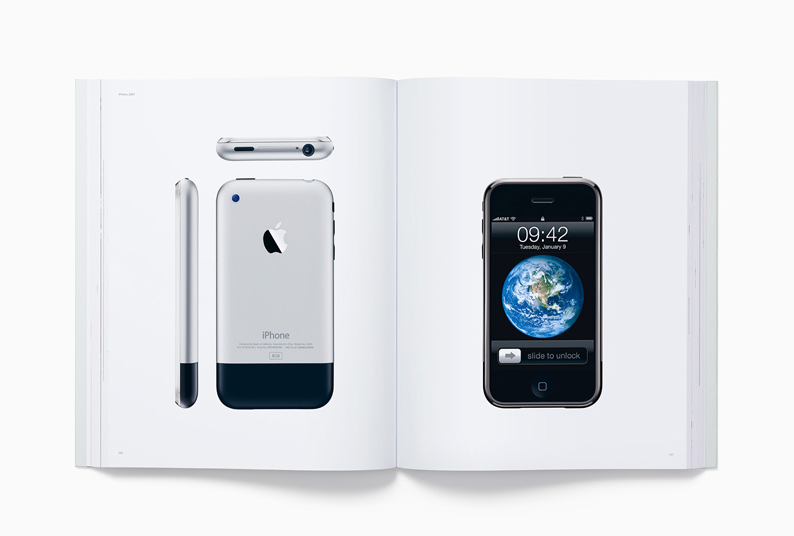

Apple Annouced a Book  is Dedicated to the Memory of Steve Jobs.


“The idea of genuinely trying to make something great for humanity was Steve’s motivation from the beginning, and it remains both our ideal and our goal as Apple looks to the future,” said Jony Ive, Apple’s chief design officer. “This archive is intended to be a gentle gathering of many of the products the team has designed over the years. We hope it brings some understanding to how and why they exist, while serving as a resource for students of all design disciplines.”
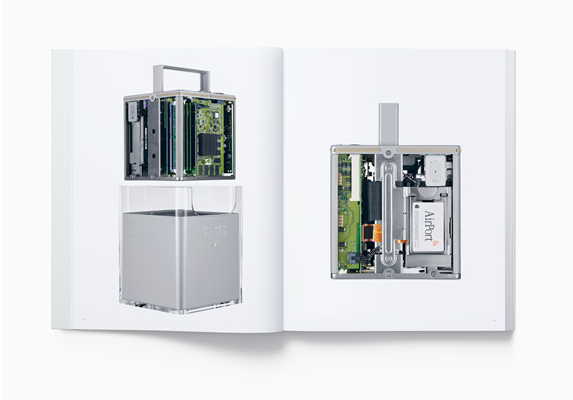

Apple Annouced a Book  is Dedicated to the Memory of Steve Jobs.


In the book’s foreword: While this is a design book, it is not about the design team, the creative process or product development. It is an objective representation of our work that, ironically, describes who we are. It describes how we work, our values, our preoccupations and our goals. We have always hoped to be defined by what we do rather than by what we say.


We strive, with varying degrees of success, to define objects that appear effortless. Objects that appear so simple, coherent and inevitable that there could be no rational alternative.
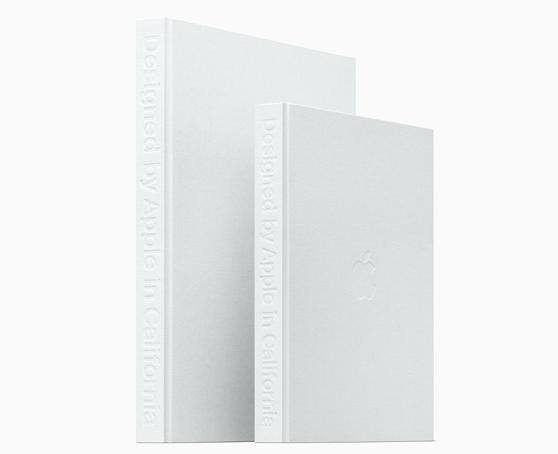


Apple Annouced a Book  is Dedicated to the Memory of Steve Jobs.


There are 2 models available for $199 or $299 online at Apple.com and Apple retail stores.

"Designed by Apple in California" — Small: 
Starts at $199 (US) in small (10.20” x 12.75”);

"Designed by Apple in California" — Large: 
Starts at $299 (US) in large (13” x 16.25”)
.


Source: Apple 

Windows
Mac OS
iOS
Linux
3uTools
Win 64-bit For this device
V6.0.1 2024-12-18
Download
Win 32-bit For this device
V6.0.1 2024-12-18
Download
3uTools
Intel Chip How to Identify Chip Type
V6.0.1 2024-12-18
Download
Apple Silicon
V6.0.1 2024-12-18
Download
How to Identify Chip Type
1.  Click the Apple icon in the top-left corner of the screen and select About This Mac.
2.  Check the Processor or Chip field to determine if it is "Intel" or "Apple".
Please use the 3uTools PC client to install the iOS client:
1、 Install either the Windows or Mac version of 3uTools on your computer
2、 Open the PC client and connect your device to the computer via USB cable
3、 After the connection is successful, wait for the computer to automatically install the mobile app for the device, or locate “Install Mobile App” on the computer and manually click to install.
3uTools
deb file
V6.0.1 2024-12-18
Download
rpm file
V6.0.1 2024-12-18
Download
Windows
Windows
iOS
iOS
Android
Android
TV
TV
3uAirPlayer
Win 64-bit For this device
V6.0.1 2024-12-18
Download
Win 32-bit For this device
V6.0.1 2024-12-18
Download
iOS Device Mirroring (No App Required)
1、 Install 3uAirPlayer on the Windows PC
2、 Open Control Center and select Screen Mirroring
3、 From the list, choose your PC to start mirroring
4、 Or connect your iOS device to the PC via USB to begin mirroring
Scan to get "3uAirPlayer" App
3uAirPlayer TV V6.0.1
2024-12-18
TV System Requirements: Android 7.0 or later
Download the TV installation package, copy it to a USB drive, insert it into your TV or set-top box, then select the file from the home screen to install.




