 NEWS
NEWS
Why Apple Will Never Merge iOS and MacOS?
 12/06/2016
 2272
2272
It makes sense to keep them separate
When Apple introduced its new MacBook Pro lineup in October, the company made it clear that these machines are meant for so-called “creatives,” or people working in design, advertising, music, and so on. The standout feature is a new interface called the Touch Bar, a touchscreen panel that sits above the keyboard and changes functions based on what software is running at a given moment.
The day before Apple introduced its latest high-powered laptops, Microsoft unveiled new hardware of its own: A revamped Surface Book laptop and the new Microsoft Studio, a touchscreen desktop also designed for “creatives.”
Both companies’ new machines are priced at the high end of the market, further cementing the fact that they’re for professionals, not everyday users.
Taken together, Apple and Microsoft’s latest computers remind me of something the late Apple CEO Steve Jobs said while introducing the iPad in 2010. Jobs believed that PCs are like trucks designed for specific uses, but the iPad and tablets in general are more like everyday cars — and that’s where the growth will be.
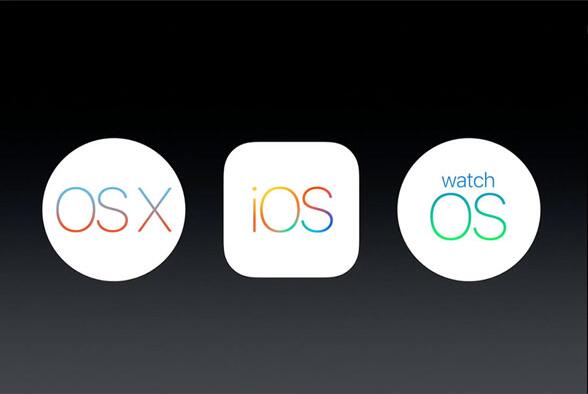
Although I believe Apple will always make Macs, which represent about 12% of its quarterly revenue, it’s the iPad that’s more vital for Apple’s vision of computing’s future. Current Apple CEO Tim Cook was a disciple of Jobs, learning a great deal from him. We’re now seeing Cook use Jobs’ playbook more aggressively as he encourages many users to move from Macs to the iPad lineup and its mobile operating system, iOS. Apple’s desktop-and-laptop macOS software will always be important, but as Jobs believed, PCs will increasingly be tools for professionals and creatives rather than everyday computer users.
For some time, many people thought Apple might merge macOS and iOS. But it seems clear to me that this will not be the case. Instead, I believe macOS will be pushed to those who need the Mac as a “truck” while iOS will evolve to become Apple’s mainstream computing software in the form of iPads. Over the last five years, Apple has developed a serious services business that now brings in upwards of $20 billion a year. While macOS contributes to some of these services earnings, I venture to guess that iOS accounts for at least 80% of that services revenue, making it even more critical to Apple’s financial future.
Keeping two separate operating systems makes sense for Apple, enabling the company to offer a more basic and approachable OS for mobile users, with more powerful software for pro buyers. Still, I believe both everyday consumers and business users will embrace so-called “2-in-1” computers, which can function as both a tablet and a laptop-with-keyboard. These machines offer highly versatile computing experiences, giving users better options for access to all types of apps and services. Given that, I believe iOS will be more important to Apple’s future than its desktop cousin, macOS.
Tim Bajarin is recognized as one of the leading industry consultants, analysts and futurists, covering the field of personal computers and consumer technology. Mr. Bajarin is the President of Creative Strategies, Inc. and has been with the company since 1981 where he has served as a consultant providing analysis to most of the leading hardware and software vendors in the industry.
Source: time










