 NEWS
NEWS
USA Technologies Adding Apple Pay to More Than 300,000 Self-service Machines
 01/06/2017
 2440
2440
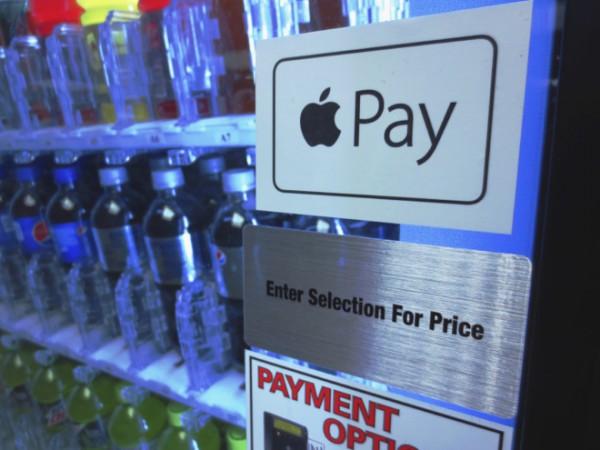
Cashless and mobile transaction company USA Technologies has announced it plans to integrate its MORE loyalty and payroll deduction payment platform with Apple Pay, allowing users of the service to ultimately pay at more than 300,000 self-service machines and other venues across the U.S.
As a result of the integration, consumers making a purchase will be able to take advantage of exclusive offers, promotions and discounts offered by vendors toward future purchases at participating self-serve machines using USA Technologies' ePort Connect.
Compatible vending machines and self-pay locations will receive a firmware update to promote Apple Pay, and make it clear when the Apple Watch or iPhone needs to be presented to make the transaction.
As part of the expansion, USA Technologies is working with Urban Airship to facilitate the hand-off of MORE loyalty card information to vendors, and to target promotions. USA Technologies plans to roll out the technology to select unattended retail locations nationwide over the coming months.
USA Technologies supplies the arcade, car wash, laundry, taxi, and vending industries. Some hospitals implement the service at cafeterias as well.
On Tuesday, Apple added 17 more banks and institutions to the Apple Pay service. More than 1660 card issuers now participate in Apple Pay.
Apple has recently reached an agreement with Square in December to integrate Apple Pay with the Square Cash "virtual debit card" system. International expansion for Apple Pay includes recent service additions in Russia, Australia, China and Singapore.
Last month, Apple Pay chief Jennifer Bailey said 35 percent of U.S. retailers, around 4 million locations, now accept the touchless payments product. Looking to 2017, Bailey expects Apple Pay availability in two out of every three stores as more major retailers adopt the payment method.
Source: appleinsider










