 NEWS
NEWS
Exploit That Caused iPhones To Repeatedly Dial 911 Reveals Grave Cybersecurity Threat
 03/07/2017
 2688
2688
We reported back in October on an iOS exploit that caused iPhones to repeatedly dial 911 without user intervention. It was said then that the volume of calls meant one 911 center was in ‘immediate danger’ of losing service, while two other centers had been at risk – but a full investigation has now concluded that the incident was much more serious than it appeared at the time.
It was initially thought that a few hundred calls were generated in a short time, but investigators now believe that one tweeted link that activated the exploit was clicked on 117,502 times, each click triggering a 911 call. The WSJ reports that law-enforcement officials and 911 experts fear that a targeted attack using the same technique could prove devastating...“If this was a nation-state actor that wanted to damage or disable 911 systems during an attack, they could have succeeded spectacularly,” says Trey Forgety, director of government affairs at the National Emergency Number Association, a 911 trade group.
Of the 6,500 911 call centers nationwide, just 420 are believed to have implemented a cybersecurity program designed to protect them from this kind of attack. “I don’t want to be alarmist, but it’s an emerging crisis,” says retired Rear Adm. David Simpson, who oversaw emergency management and cybersecurity at the FCC for about three years during the Obama administration.
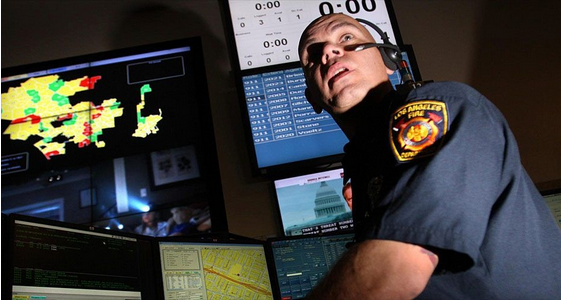
Last year, researchers at Ben-Gurion University in Israel concluded that fewer than 6,000 smartphones infected with malicious software could cripple the 911 systems in an entire state for days.
Meetkumar Desai, the student who created the code as a proof of concept in an attempt to claim a bug bounty from Apple, claims that he accidentally posted the version that called 911, and had actually meant to post a version that would generate a pop-up and freeze phones. Desai has been charged with four felony counts of computer tampering, and hasn’t yet entered a plea.
Apple told the WSJ that a fix is on the way. Apple says a forthcoming system update to the iPhone will plug the loophole that made the attack possible. The update will cause a “cancel” or “call” pop-up to appear on the iPhone screen, and users will be required to press “call” before the iPhone will dial, according to Apple.“The ability to dial and reach a 911 operator quickly is critical to public safety,” the company said. “The dialing feature in this instance was intentionally misused by some people with no regard for public safety. To prevent further abuse, we’re putting safeguards in place and have also worked with third-party app developers to prevent this behavior in their apps.”
Source: 9to5mac










