NEWS

New Drone Footage Shows Nearly Complete Apple Park Campus at Night

04/20/2017

2687

Apple Park, Apple's second campus in Cupertino, California, is set to have its grand opening this month, and ahead of its official debut, last minute construction and landscaping is continuing on at a rapid pace. 

As part of a mid-month update, drone pilot Duncan Sinfield has shared a new video of Apple Park, this time getting some gorgeous nighttime shots of the campus lit up at night. In the evenings, the lights on the ring-shaped main building stay on, and it's an impressive sight. 
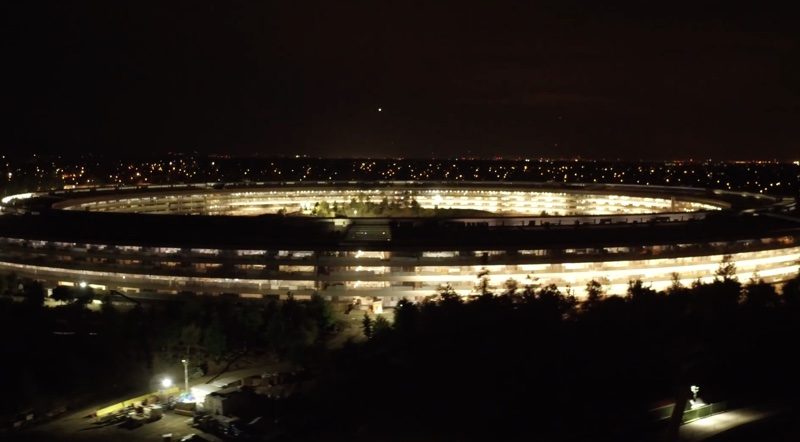

New Drone Footage Shows Nearly Complete Apple Park Campus at Night


The nighttime shots are towards the end of the video, which also shows the completed parking structures, landscaping work with hundreds of trees being planted, final construction on the main building, furniture installation, and more. 


While employees are set to start working at Apple Park at some point in April, landscaping and construction on auxiliary buildings will continue into the summer.


Source: macrumors

Windows
Mac OS
iOS
Linux
3uTools
Win 64-bit For this device
V6.0.1 2024-12-18
Download
Win 32-bit For this device
V6.0.1 2024-12-18
Download
3uTools
Intel Chip How to Identify Chip Type
V6.0.1 2024-12-18
Download
Apple Silicon
V6.0.1 2024-12-18
Download
How to Identify Chip Type
1.  Click the Apple icon in the top-left corner of the screen and select About This Mac.
2.  Check the Processor or Chip field to determine if it is "Intel" or "Apple".
Please use the 3uTools PC client to install the iOS client:
1、 Install either the Windows or Mac version of 3uTools on your computer
2、 Open the PC client and connect your device to the computer via USB cable
3、 After the connection is successful, wait for the computer to automatically install the mobile app for the device, or locate “Install Mobile App” on the computer and manually click to install.
3uTools
deb file
V6.0.1 2024-12-18
Download
rpm file
V6.0.1 2024-12-18
Download
Windows
Windows
iOS
iOS
Android
Android
TV
TV
3uAirPlayer
Win 64-bit For this device
V6.0.1 2024-12-18
Download
Win 32-bit For this device
V6.0.1 2024-12-18
Download
iOS Device Mirroring (No App Required)
1、 Install 3uAirPlayer on the Windows PC
2、 Open Control Center and select Screen Mirroring
3、 From the list, choose your PC to start mirroring
4、 Or connect your iOS device to the PC via USB to begin mirroring
Scan to get "3uAirPlayer" App
3uAirPlayer TV V6.0.1
2024-12-18
TV System Requirements: Android 7.0 or later
Download the TV installation package, copy it to a USB drive, insert it into your TV or set-top box, then select the file from the home screen to install.




