NEWS

Apple Set to Kill off the iPad Mini By Ending Updates

05/17/2017

2542

Apple’s iPad Mini was not an overnight success, as it received lukewarm reviews in 2012, but in a few months after the release, it was deemed ‘the best tablet ever’.


However, news has surfaced that the tech giant is set to discontinue the lovable 7.9-inch iPad ‘sometime in the future’.


Sources close to Apple have revealed that the firm will not push out any new updates for the iPad Mini in a bid to phase out the devices that have experienced a decline in sales.
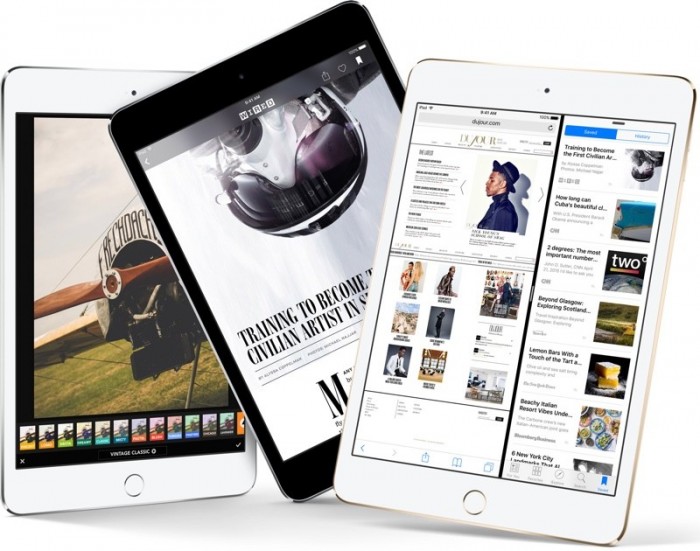

Apple Set to Kill off the iPad Mini By Ending Updates


Apple revealed the smaller iPad in 2012, while boasting users ‘can hold it in one hand’.


‘iPad mini is as thin as a pencil and as light as a pad of paper, yet packs a fast A5 chip, FaceTime HD and 5 megapixel iSight cameras and ultrafast wireless -all while delivering up to 10 hours of battery life,' said Apple's Phil Schiller at the special event in California.

But the latest report has suggested that the device has lost its steam.


However, it was not made clear to whether Apple would continue to sell the devices after it cuts the updates for good.

Source: dailymail



Windows
Mac OS
iOS
Linux
3uTools
Win 64-bit For this device
V6.0.1 2024-12-18
Download
Win 32-bit For this device
V6.0.1 2024-12-18
Download
3uTools
Intel Chip How to Identify Chip Type
V6.0.1 2024-12-18
Download
Apple Silicon
V6.0.1 2024-12-18
Download
How to Identify Chip Type
1.  Click the Apple icon in the top-left corner of the screen and select About This Mac.
2.  Check the Processor or Chip field to determine if it is "Intel" or "Apple".
Please use the 3uTools PC client to install the iOS client:
1、 Install either the Windows or Mac version of 3uTools on your computer
2、 Open the PC client and connect your device to the computer via USB cable
3、 After the connection is successful, wait for the computer to automatically install the mobile app for the device, or locate “Install Mobile App” on the computer and manually click to install.
3uTools
deb file
V6.0.1 2024-12-18
Download
rpm file
V6.0.1 2024-12-18
Download
Windows
Windows
iOS
iOS
Android
Android
TV
TV
3uAirPlayer
Win 64-bit For this device
V6.0.1 2024-12-18
Download
Win 32-bit For this device
V6.0.1 2024-12-18
Download
iOS Device Mirroring (No App Required)
1、 Install 3uAirPlayer on the Windows PC
2、 Open Control Center and select Screen Mirroring
3、 From the list, choose your PC to start mirroring
4、 Or connect your iOS device to the PC via USB to begin mirroring
Scan to get "3uAirPlayer" App
3uAirPlayer TV V6.0.1
2024-12-18
TV System Requirements: Android 7.0 or later
Download the TV installation package, copy it to a USB drive, insert it into your TV or set-top box, then select the file from the home screen to install.




