NEWS

Apple iPhone Battery Shutdowns: China Consumer Agency Takes up Complaints

11/17/2016

2693

Apple iPhone Battery Shutdowns: China Consumer Agency Takes up Complaints


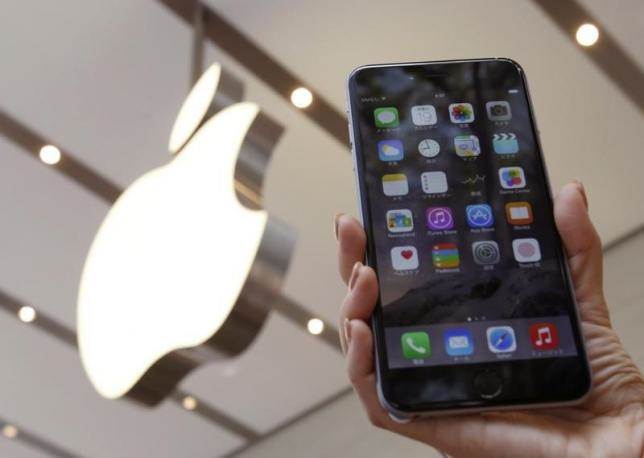
The China Consumers Association has asked Apple to investigate "a considerable number" of reports by users of iPhone 6 and 6s phones that the devices have been shutting off and cannot be turned back on again, it said on Tuesday.


The reported problems specifically involve users seeing their iPhones automatically shut off despite 50-60 percent battery levels, and the involuntary shutting off in room temperature or colder environments, as well as the inability to turn the cellphone back on despite continuous battery charging, the statement said.


"In view that Apple iPhone 6 and iPhone 6s series cellphones in China have a considerable number of users, and the number of people who've reported this problem is rather many, China Consumer Association has already made a query with Apple," the association said in a statement on its website.


Apple did not respond to a request for comment when contacted outside regular hours on Tuesday. 


Source: NBCNews

Windows
Mac OS
iOS
Linux
3uTools
Win 64-bit For this device
V6.0.1 2024-12-18
Download
Win 32-bit For this device
V6.0.1 2024-12-18
Download
3uTools
Intel Chip How to Identify Chip Type
V6.0.1 2024-12-18
Download
Apple Silicon
V6.0.1 2024-12-18
Download
How to Identify Chip Type
1.  Click the Apple icon in the top-left corner of the screen and select About This Mac.
2.  Check the Processor or Chip field to determine if it is "Intel" or "Apple".
Please use the 3uTools PC client to install the iOS client:
1、 Install either the Windows or Mac version of 3uTools on your computer
2、 Open the PC client and connect your device to the computer via USB cable
3、 After the connection is successful, wait for the computer to automatically install the mobile app for the device, or locate “Install Mobile App” on the computer and manually click to install.
3uTools
deb file
V6.0.1 2024-12-18
Download
rpm file
V6.0.1 2024-12-18
Download
Windows
Windows
iOS
iOS
Android
Android
TV
TV
3uAirPlayer
Win 64-bit For this device
V6.0.1 2024-12-18
Download
Win 32-bit For this device
V6.0.1 2024-12-18
Download
iOS Device Mirroring (No App Required)
1、 Install 3uAirPlayer on the Windows PC
2、 Open Control Center and select Screen Mirroring
3、 From the list, choose your PC to start mirroring
4、 Or connect your iOS device to the PC via USB to begin mirroring
Scan to get "3uAirPlayer" App
3uAirPlayer TV V6.0.1
2024-12-18
TV System Requirements: Android 7.0 or later
Download the TV installation package, copy it to a USB drive, insert it into your TV or set-top box, then select the file from the home screen to install.