NEWS

iPhone 7 Deals! Apple Confirmed to Participate in the Black Friday Promotion

11/25/2016

2394

"Double eleven," just past few days, I believe a lot of small partners with Xiaobian certainly still "eat soil" back to the blood. But there is a "bad news" came, missed the black Friday of 2015, this year Apple will return to the ranks of this concession.


Apple officials have given the current page, mainly to tell the user, this year's black Friday they have to offer promotions, promotion time will start from November 25, Apple also recommends that users come back in the black Friday to see their favorite product prices.
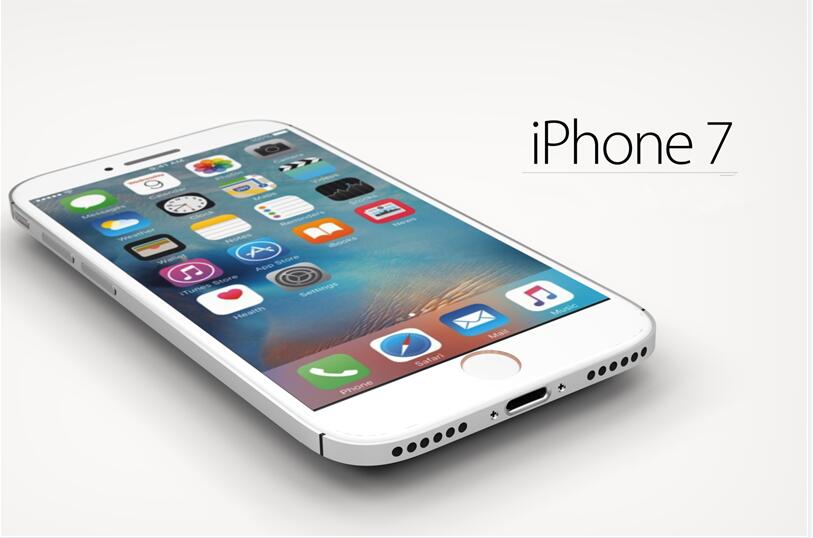

iPhone 7 Deals! Apple Confirmed to Participate in the Black Friday Promotion


To be sure, Apple's black Friday promotional activities is still the product's "price", is likely to be the old routine, both to buy products to send the corresponding gift card.


Compared to 2014 activities, Apple iPad, Mac, iPhone 6, iPhone 6 Plus users were provided with a value of $ 50 or $ 100 gift card, according to this extent, this year's iPhone 7 should also join among them.


Do not know, this activity is also in the activities of China in the list, if not we can only look forward to the follow-up "red Friday". Moreover, the bounce for a long time Air Pods will launch in the promotional season? Interested friends may wish to look at! World Wide Web technology will be the first time reported!


Source:vvcat


Windows
Mac OS
iOS
Linux
3uTools
Win 64-bit For this device
V6.0.1 2024-12-18
Download
Win 32-bit For this device
V6.0.1 2024-12-18
Download
3uTools
Intel Chip How to Identify Chip Type
V6.0.1 2024-12-18
Download
Apple Silicon
V6.0.1 2024-12-18
Download
How to Identify Chip Type
1.  Click the Apple icon in the top-left corner of the screen and select About This Mac.
2.  Check the Processor or Chip field to determine if it is "Intel" or "Apple".
Please use the 3uTools PC client to install the iOS client:
1、 Install either the Windows or Mac version of 3uTools on your computer
2、 Open the PC client and connect your device to the computer via USB cable
3、 After the connection is successful, wait for the computer to automatically install the mobile app for the device, or locate “Install Mobile App” on the computer and manually click to install.
3uTools
deb file
V6.0.1 2024-12-18
Download
rpm file
V6.0.1 2024-12-18
Download
Windows
Windows
iOS
iOS
Android
Android
TV
TV
3uAirPlayer
Win 64-bit For this device
V6.0.1 2024-12-18
Download
Win 32-bit For this device
V6.0.1 2024-12-18
Download
iOS Device Mirroring (No App Required)
1、 Install 3uAirPlayer on the Windows PC
2、 Open Control Center and select Screen Mirroring
3、 From the list, choose your PC to start mirroring
4、 Or connect your iOS device to the PC via USB to begin mirroring
Scan to get "3uAirPlayer" App
3uAirPlayer TV V6.0.1
2024-12-18
TV System Requirements: Android 7.0 or later
Download the TV installation package, copy it to a USB drive, insert it into your TV or set-top box, then select the file from the home screen to install.




