NEWS

Apple Cuts CEO's Salary After Missing Sales, Profit Goals

01/09/2017

1999

Apple Cuts CEO's Salary After Missing Sales, Profit Goals


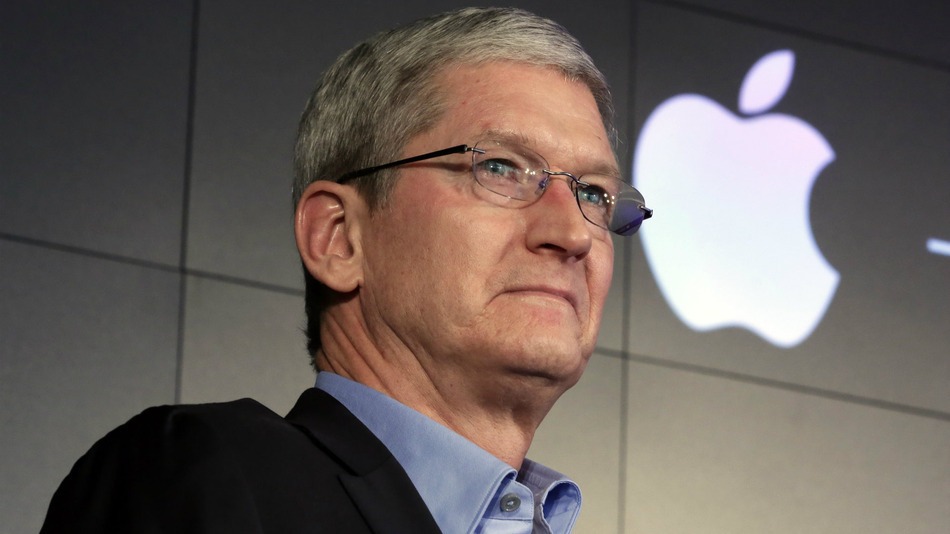
Marking a rare stumble, Apple Inc. on Friday revealed it missed its own annual sales and profit goals for the first time since 2009, putting a dent in Chief Executive Tim Cook’s annual paycheck and pressuring the company to deliver a blockbuster with its next iPhone.


Apple fell short of its own projections in part because it mistakenly assumed consumers’ appetite for the iPhone 6S, introduced in 2015, would outpace demand for the predecessor device. The Apple Watch, introduced in 2015, and services including Apple Music, iTunes and the App Store haven’t been able to offset the iPhone’s decline.


Sales volume of the iPhone fell in fiscal 2016 for the first time since the device was introduced in 2007, and Apple posted its first annual revenue decline in 15 years.


A sharp slowdown in China sales in particular cut into total revenue.


The slump took a 15% bite out of Mr. Cook’s total annual compensation, which Apple said Friday declined for the first time since he assumed leadership of the company in 2011. His compensation is partly tied to Apple’s financial performance.


Apple now is pinning hopes on the iPhone 7, which came out in September, and forthcoming versions, including an expected 10th-anniversary iPhone in the fall. Mr. Cook said in October that demand for the iPhone 7 and the bigger 7 Plus, which feature enhanced cameras and longer battery life, have outpaced supply. Apple won’t reveal quarterly sales for those phones until Jan. 31.


Source: Fox News


Windows
Mac OS
iOS
Linux
3uTools
Win 64-bit For this device
V6.0.1 2024-12-18
Download
Win 32-bit For this device
V6.0.1 2024-12-18
Download
3uTools
Intel Chip How to Identify Chip Type
V6.0.1 2024-12-18
Download
Apple Silicon
V6.0.1 2024-12-18
Download
How to Identify Chip Type
1.  Click the Apple icon in the top-left corner of the screen and select About This Mac.
2.  Check the Processor or Chip field to determine if it is "Intel" or "Apple".
Please use the 3uTools PC client to install the iOS client:
1、 Install either the Windows or Mac version of 3uTools on your computer
2、 Open the PC client and connect your device to the computer via USB cable
3、 After the connection is successful, wait for the computer to automatically install the mobile app for the device, or locate “Install Mobile App” on the computer and manually click to install.
3uTools
deb file
V6.0.1 2024-12-18
Download
rpm file
V6.0.1 2024-12-18
Download
Windows
Windows
iOS
iOS
Android
Android
TV
TV
3uAirPlayer
Win 64-bit For this device
V6.0.1 2024-12-18
Download
Win 32-bit For this device
V6.0.1 2024-12-18
Download
iOS Device Mirroring (No App Required)
1、 Install 3uAirPlayer on the Windows PC
2、 Open Control Center and select Screen Mirroring
3、 From the list, choose your PC to start mirroring
4、 Or connect your iOS device to the PC via USB to begin mirroring
Scan to get "3uAirPlayer" App
3uAirPlayer TV V6.0.1
2024-12-18
TV System Requirements: Android 7.0 or later
Download the TV installation package, copy it to a USB drive, insert it into your TV or set-top box, then select the file from the home screen to install.