NEWS

Apple Releases WatchOS 3.1.3 Beta 2 to Developers

01/10/2017

2009

Apple today released the second beta version of watchOS 3.1.3 to developers. If you have registered as a developer, you can download the update by using the Apple Watch app on the iPhone. Simply go to General --> Software Update. To install the Beta, the Apple Watch must be at least 50% charged, and needs to be in its charging dock; the iPhone that the watch is paired with must be within range. In addition, this particular iPhone must be running iOS 10 or higher.

No major changes are expected to come with Beta 2 of watchOS 3.1.3. Instead, the update most likely exterminates some bugs and enhances some features. The first beta of watchOS 3.1.3, which was disseminated three weeks ago, also appeared to bring no big changes to the operating system for the Apple Watch.
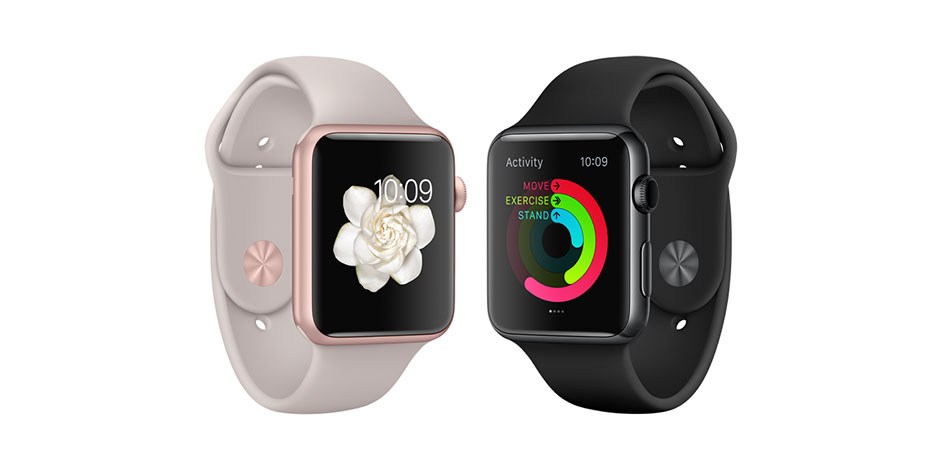
Apple Releases WatchOS 3.1.3 Beta 2 to Developers


Those with the Apple Watch Series 2 might be following these updates closely. The watchOS 3.1.1 update bricked several Series 2 timepieces, and these units could not be repaired in stores. Apple pulled the update from its servers leaving many with the Series 2 Apple Watch stuck at watchOS 3.1.


Source: phonearena

Windows
Mac OS
iOS
Linux
3uTools
Win 64-bit For this device
V6.0.1 2024-12-18
Download
Win 32-bit For this device
V6.0.1 2024-12-18
Download
3uTools
Intel Chip How to Identify Chip Type
V6.0.1 2024-12-18
Download
Apple Silicon
V6.0.1 2024-12-18
Download
How to Identify Chip Type
1.  Click the Apple icon in the top-left corner of the screen and select About This Mac.
2.  Check the Processor or Chip field to determine if it is "Intel" or "Apple".
Please use the 3uTools PC client to install the iOS client:
1、 Install either the Windows or Mac version of 3uTools on your computer
2、 Open the PC client and connect your device to the computer via USB cable
3、 After the connection is successful, wait for the computer to automatically install the mobile app for the device, or locate “Install Mobile App” on the computer and manually click to install.
3uTools
deb file
V6.0.1 2024-12-18
Download
rpm file
V6.0.1 2024-12-18
Download
Windows
Windows
iOS
iOS
Android
Android
TV
TV
3uAirPlayer
Win 64-bit For this device
V6.0.1 2024-12-18
Download
Win 32-bit For this device
V6.0.1 2024-12-18
Download
iOS Device Mirroring (No App Required)
1、 Install 3uAirPlayer on the Windows PC
2、 Open Control Center and select Screen Mirroring
3、 From the list, choose your PC to start mirroring
4、 Or connect your iOS device to the PC via USB to begin mirroring
Scan to get "3uAirPlayer" App
3uAirPlayer TV V6.0.1
2024-12-18
TV System Requirements: Android 7.0 or later
Download the TV installation package, copy it to a USB drive, insert it into your TV or set-top box, then select the file from the home screen to install.




