


-
How to Record Ultra Slow Motion Video on Your iPhone
By default, iOS devices are set to capture slo-mo video in 1080p at 120 FPS.
 02/07/2018
 4669
4669
-
5 Features We Would Like to See in iPhone X – Jailbreak Wishlist
Although there are a lot of other benefits to switching over to iPhone X, it doesn’t come close to a jailbroken iPhone.
02/07/2018
5066
-

How to Speed Up a Slow iPhone?
Our tips show how to spring-clean your slow old iPhone and give it a speed boost for faster performance.
02/07/2018
5430
-

How to Fix iOS 11 Mail App Running Slow to Load Emails on iDevice?
iOS 11 Mail App takes too long to load Emails? Here’s how to fix it.
02/07/2018
39361
-
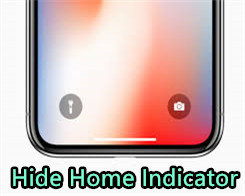
How to Hide the Home Indicator on iPhone X?
This tutorial is mainly introducing how to remove the home bar on your iPhone X. If you want to hide the home indicator of your iPhone X, just keep reading.
02/07/2018
60208
-
How to Remove iOS 10 Yalu Jailbreak From Your iDevice?
Here are multiple ways you can follow to remove the iOS 10 Yalu jailbreak safely without restoring.
02/07/2018
7324
-
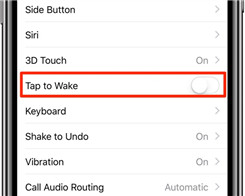
How to Disable Tap to Wake Feature on iPhone X?
iPhone X is the first iPhone rocking a display that can be awoken with a tap, this feature won’t work on iPhone 8 and previous phones.
02/07/2018
2959
-

How to Convert Animoji to GIF on iPhone/iPad?
This tutorial aims to show you how to convert iPhone X Animoji to GIF the easy way and for free, complete with step by step instructions.
02/07/2018
4880
-
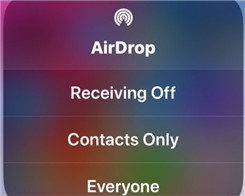
How to Access AirDrop on iOS 11 Control Center
You might be wondering where AirDrop went in iOS 11 Control Center, and you’re probably not alone. This tutorial aims to show you how to access AirDrop on iOS 11 control center.
02/07/2018
5474
-
Minimal Gradient Wallpapers to Hide the iPhone X Notch
If you are one of those people who need the notch gone, here is a set of minimal gradient wallpapers.
02/07/2018
20075
-
How to Get Animojis on All Older iPhone Models?
No matter how childish Animojis are, they have been the unique selling point of the iPhone X. Here’s how you can get Animojis on iPhone 7/7 plus, iPhone 6s/6s plus, iPhone 6/6 plus, and iPhone 5s.
02/07/2018
5557
-
How to Enable Face ID to Buy Apps
Face ID lets you authenticate any purchases made in iTunes Store, App Store or iBooks Store, which permits you to buy apps and media with a simple glance.
02/07/2018
8479

